Password


Text input rendered as a mask - in the editor, on the panel row and in the
summary. The accepted value stays plain for the consumer. It collects a
string.
$p->password('code', 'Order code')
  ->revealable()    // Add a Tab toggle to reveal the typed value.
  ->confirmation(); // Prompt for the value twice and reject a mismatch.
Runnable scripts: playground/02-widgets/password.php and password-reveal.php.
Options
| Name | Description | Required | Default |
|---|---|---|---|
revealable() | Add a reveal toggle: Tab cycles the editor display hidden → masked → plaintext. | No | Off |
confirmation() | Prompt for the value a second time and reject a mismatch before accepting. | No | Off |
Both are off by default, so a plain password() simply masks the input.
revealable only changes what is drawn - the stored value is never affected, and
the panel row and summary always stay masked.
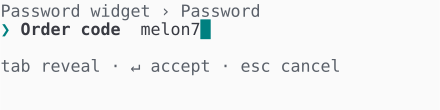
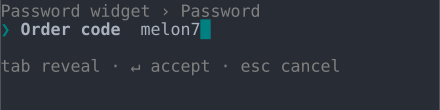
With revealable() on, Tab cycles the editor's display through hidden, masked
and plaintext, and the hint line shows the toggle:
Keyboard
| Key | Action |
|---|---|
| printable keys | Insert at the caret (drawn masked) |
← / → | Move the caret |
Backspace | Delete the character before the caret |
Tab | Cycle the display hidden → masked → plaintext (when revealable()) |
Enter | Accept - or, with confirmation(), re-prompt once, then accept on a match |
Esc | Cancel |
Display modes
In all four display modes - Unicode or ASCII, colour on or off:
| ANSI | No ANSI | |
| Unicode | 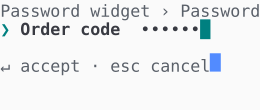 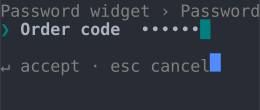 | 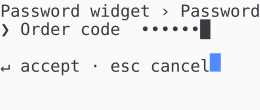 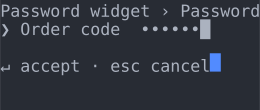 |
| ASCII | 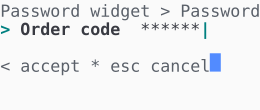 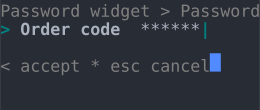 | 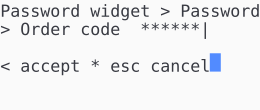 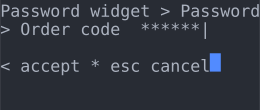 |